5 Tips for Perfect AR Makeup Try-On
Learn how to get the best results when using our AR virtual try-on feature.
Read MoreLearn professional makeup techniques with our comprehensive step-by-step guides. Master 700+ makeup procedures with easy-to-follow instructions!
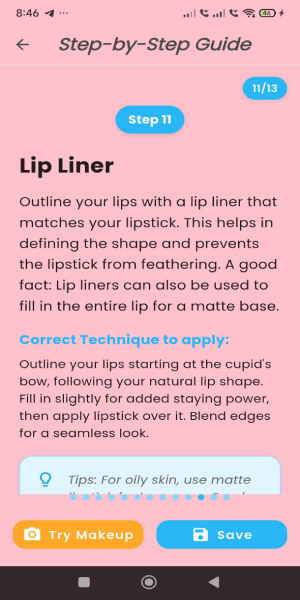
Everything you need for the perfect makeup look
Discover playful and customizable makeup filters for every individual procedure.
Learn makeup techniques with easy-to-follow instructions. Perfect for beginners and pros alike.
Choose from hundreds of looks for every occasion - from everyday casual to special events.
Use whatever makeup products you have available. Our guides work with any brand.
Get recommendations based on your skin tone, face shape, and personal style.
Save your favorite looks and procedures for quick access anytime.
Stay updated with the latest beauty trends and app features
Find answers to common questions or get in touch
Make sure you're in a well-lit area and your face is clearly visible to the camera. Try adjusting your position or lighting for better detection.
Simply tap the save button on any makeup procedure page and name it as you prefer to save it to your favorites. You can access all saved looks in the "Favorites" section.
Absolutely! Our guides are designed to work with any makeup products you have available. The app provides general product types rather than specific brands.
To upgrade to premium, tap the profile icon in the top right corner of the home page. On your profile page, you'll find an "Upgrade to Premium" button. Simply tap it and choose your preferred subscription plan to unlock exclusive features and content.